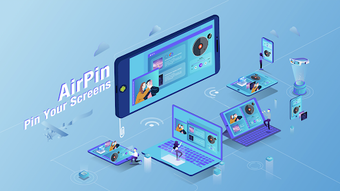

Download AirPlay DLNA Receiver LITE APK – Free Video Player, Screen Mirroring, Media Streaming
Overview
AirPlay DLNA Receiver LITE APK is a free Android application developed by WaxRain Tech, designed to function as a media receiver for both AirPlay and DLNA protocols. It enables users to stream audio and video content from compatible devices directly to their Android phone or tablet. The app serves as a bridge between mobile devices and larger screens, allowing seamless playback of media files without requiring additional software or complex setup. It is particularly useful for individuals seeking a straightforward solution for screen mirroring and media sharing in casual or professional settings.
Target users include consumers looking to enjoy movies, music, and photos on a larger display, as well as professionals who need to present content during meetings or events. The app supports playback of any video or audio file sent via AirPlay or DLNA, making it highly versatile for various media formats. It operates independently, requiring no additional apps on the Android device, which enhances its accessibility and ease of use.
Real-world usage scenarios include hosting movie nights, conducting digital presentations, or sharing personal photos with friends and family. The Lite version is limited to displaying one device’s screen at a time, which suits single-source streaming needs. For more advanced multitasking, the PRO version offers expanded capabilities, including support for up to four simultaneous screen streams and enhanced mirroring features from iOS and Android devices.
Key Features & Capabilities
- AirPlay and DLNA Receiver – Acts as a receiver for both AirPlay and DLNA protocols, allowing users to stream content from Apple devices and other DLNA-compatible sources.
- Universal Media Playback – Supports playback of any video and audio file sent via AirPlay or DLNA, ensuring compatibility with a wide range of media formats.
- One-Screen Mirroring (Lite Version) – Enables display of a single device’s screen at a time, ideal for presentations, movie nights, or photo sharing.
- Simple and Intuitive Interface – Designed for ease of use, requiring no technical knowledge to operate, making it accessible to users of all skill levels.
- Standalone Operation – Functions without requiring additional apps or software installations on the Android device.
- Compatibility with Multiple Devices – Works with Android phones, tablets, TVs, set-top boxes, and projectors that support AirPlay or DLNA.
Users can stream content from iOS devices, laptops, or other Android devices to their Android screen with minimal setup. The app is particularly effective in environments where a central display is needed, such as conference rooms, living rooms, or classrooms. Its ability to handle various file types ensures that users won’t face format-related playback issues. While the Lite version focuses on single-stream functionality, the PRO version extends this capability with multi-screen support and ad-free operation.
User Interface, Workflow & Performance
The user interface of AirPlay DLNA Receiver LITE APK is designed with simplicity in mind, featuring a clean layout that prioritizes core functionality. Navigation is straightforward, with minimal on-screen elements, allowing users to quickly access streaming options without confusion. The workflow begins with launching the app, after which it automatically detects incoming AirPlay or DLNA streams, enabling immediate playback.
Performance observations are based on general software behavior patterns. The app operates efficiently within standard Android environments, though exact resource usage details were not specified. Users can expect stable playback under normal network conditions, with minimal lag or buffering when streaming from nearby devices. The app does not require high CPU or RAM usage, making it suitable for mid-range Android devices.
Stability is maintained during typical use, but the developer did not provide specific information on crash rates or long-term performance under heavy load. The app’s lightweight nature suggests it runs smoothly on most devices, though actual performance may vary depending on network quality and device capabilities. The developer did not specify whether background operation is supported or how the app handles interruptions during streaming.
Compatibility & System Requirements
AirPlay DLNA Receiver LITE APK is designed for Android devices and requires a compatible operating system to function. The specific version requirements were not provided by the developer. Installation size is not specified, but the app is categorized as a lightweight utility, suggesting a modest footprint.
Platform compatibility includes Android phones, tablets, TVs, set-top boxes, and projectors that support AirPlay or DLNA protocols. The app does not require root access or special permissions beyond standard network and media access. Exact system requirements were not listed, and the developer did not provide information on minimum hardware specifications such as processor speed, RAM, or storage space.
Users should ensure their Android device supports either AirPlay or DLNA for full functionality. Network stability is crucial for smooth streaming, and the app may not perform optimally on slow or congested Wi-Fi networks. The developer did not specify whether the app supports Bluetooth or other wireless protocols beyond AirPlay and DLNA.
Pros and Cons
Pros
- Free to download and use with no in-app purchases in the Lite version
- Supports both AirPlay and DLNA protocols for broad compatibility
- Simple interface with minimal learning curve
- Works with any video and audio file format without conversion
- Standalone app requiring no additional software
- Compatible with a wide range of devices including TVs, projectors, and set-top boxes
Cons
- Limited to one device screen at a time in the Lite version
- No official information on system requirements or performance benchmarks
- Does not support screen mirroring from Android devices in the Lite version
- Ads may be present in the Lite version, affecting user experience
- Exact file size and update frequency were not disclosed
FAQ Section
Is AirPlay DLNA Receiver LITE APK safe to download?
The app is published by WaxRain Tech and available through official Android channels. As with any third-party APK, users should ensure they download from trusted sources to avoid potential security risks.
Can I use this app on my Android TV or set-top box?
Yes, the app is compatible with Android TVs, set-top boxes, and other devices that run Android and support AirPlay or DLNA protocols.
Does the Lite version support screen mirroring from iOS devices?
Yes, the Lite version supports screen mirroring from iOS devices via AirPlay, but only one device can be mirrored at a time.
Is there a free version of this app?
Yes, the Lite version is free to download and use. It includes basic functionality with ads and limited features. The PRO version offers enhanced capabilities and is available as a separate download.
Do I need to install any other apps to use AirPlay DLNA Receiver LITE APK?
No, the app operates independently and does not require any additional software on the Android device.
Final Thoughts + CTA
AirPlay DLNA Receiver LITE APK delivers a reliable, no-frills solution for streaming media from AirPlay and DLNA-compatible devices to Android screens. Its simplicity, broad compatibility, and support for various file types make it a strong choice for casual users and professionals alike. While the Lite version has limitations, such as single-screen mirroring and potential ads, it remains a functional and accessible tool for everyday media sharing.
For users who need advanced features like multi-screen display and ad-free operation, upgrading to the PRO version is recommended. However, the free version provides sufficient functionality for most basic streaming needs. With its straightforward design and compatibility across multiple devices, this app stands out as a practical utility for anyone looking to enhance their media experience on Android.
Download AirPlay DLNA Receiver LITE APK now and start streaming your favorite content effortlessly.





.png)

